How to Build a Website Step by Step
Beginner's Journey
Do you want to build a website but don’t know where to start?
This website is made for beginners who want to learn website building from zero.
Here, you will learn how to create a website step by step using simple tools.
No coding is required. No technical background is needed.
If you can use a computer or a mobile phone, you can build a website.
What Is a Website? Simple Explanation for Beginners
A website is a place on the internet where information is shared.
It can be about a person, a business, or any topic.
When you search something on Google and open a page, that page is part of a website.
Websites can show text, images, videos, and links.
This website explains everything in simple words so beginners can understand easily.
Why Do You Need a Website Today?
A website helps you stay online all the time.
People can find your work, your business, or your ideas easily.
You may need a website for:
- Personal use
- Business use
- Learning and practice
- Sharing information
In today’s digital world, having a website is very useful.
What You Will Learn on This Website
This website teaches website building step by step from the basics.
You will learn:
- What a website is
- How websites work
- Domain and hosting basics
- How to build a website step by step
- Beginner-friendly website tools
All lessons are written in simple English so anyone can follow.
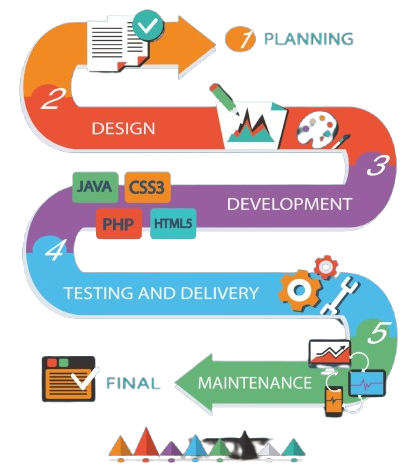
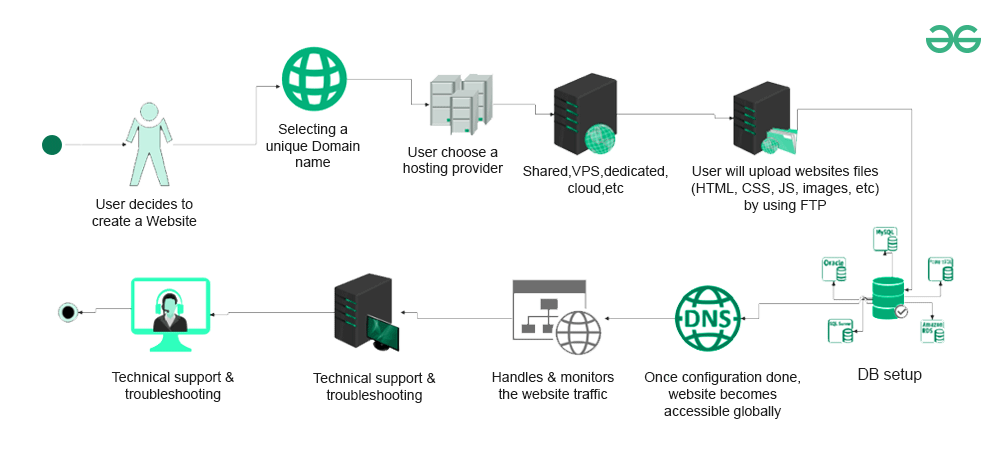
How Website Building Works
Learn Step by Step
Website building becomes easy when you follow the right steps.
The basic process is:
- Learn the basics of websites
- Choose simple tools
- Create website pages
- Make your website live
Each step is explained clearly so beginners do not feel confused.
Tools You Will Use to Build a Website
You do not need complex software to build a website.
There are many simple and beginner-friendly tools available.
These tools:
- Do not need coding
- Are easy to use
- Work on both mobile and computer
This website helps you understand which tools are best for beginners.
Start Learning Website Building Step by Step
If you are new to website building, start from the first lesson.
Learn at your own speed and build confidence step by step.
This website is made to help beginners understand website building in a simple way.
Start learning today and take your first step.
About This Website
This website is created to help beginners learn website building step by step.
It is made for people who have little or no knowledge about websites.
Many beginners feel confused when they hear words like domain, hosting, or website tools.
This website explains everything in simple English so anyone can understand.
Our goal is to help you learn website basics clearly and build confidence.
You do not need coding skills or technical experience to start learning here.
What We Teach You on This Website
This website teaches you how to build a website from the beginning.
You will learn about:
- What a website is
- What a domain name is
- What hosting means
- How domain and hosting work together
- How a website becomes live on the internet
Each topic is explained step by step using easy examples so beginners do not feel confused.
What Is a Domain Name?
A domain name is the address of your website on the internet.
It is what people type in the browser to visit your website.
For example:
example.com is a domain name.
A domain helps people find your website easily.
Without a domain name, users cannot visit your website.
On this website, you will learn how to choose and understand domain names in simple words.
What Is Website Hosting?
Website hosting is the place where your website files are stored.
It is like a home for your website on the internet.
When someone opens your website, hosting shows your website to them.
Every website needs hosting to work online.
This website explains hosting in a beginner-friendly way so you understand:
- Why hosting is needed
- How hosting works
- How hosting and domain connect
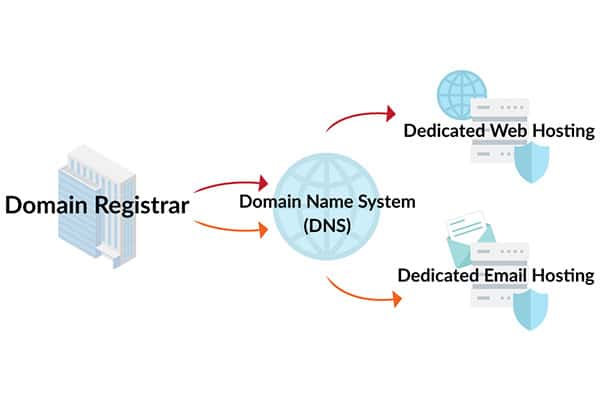
How Domain and Hosting Work Together?
This website teaches you how to build a website from the beginning.
A domain and hosting work together to make a website live:
- Domain = website address
- Hosting = place where website lives
When both are connected, your website becomes available on the internet.
This website explains this process step by step so beginners can understand easily.
You do not need to learn everything at once.
Each step is explained slowly and clearly.
Tools Used to Build a Website
You do not need coding tools to build a website.
There are simple tools made for beginners.
These tools help you:
- Create website pages
- Add text and images
- Make your website live
This website introduces beginner-friendly tools and explains how they are used step by step.
How to Start Learning Website Building?
If you are new, do not worry.
Start learning step by step.
The right order is:
- Understand what a website is
- Learn about domain names
- Learn about hosting
- Understand how everything works together
- Start building your website
This website is designed to guide you from the first step to the final step in simple English.
What Is a Domain Name?
A domain name is the address of your website on the internet, people type this address in a browser to visit your website.
Example of domain names:
- google.com
- amazon.com
- yourname.com
Without a domain name, people cannot find your website.
Why Do You Need a Domain Name?
You need a domain name because:
- It gives your website an identity
- People can easily remember your website
- It looks professional
A domain name is the first step to build a website.
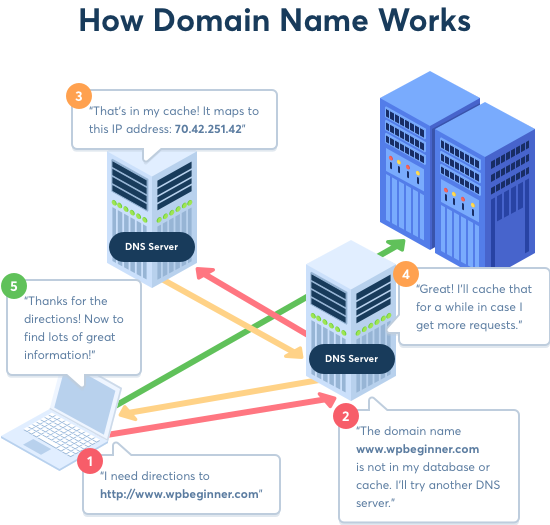
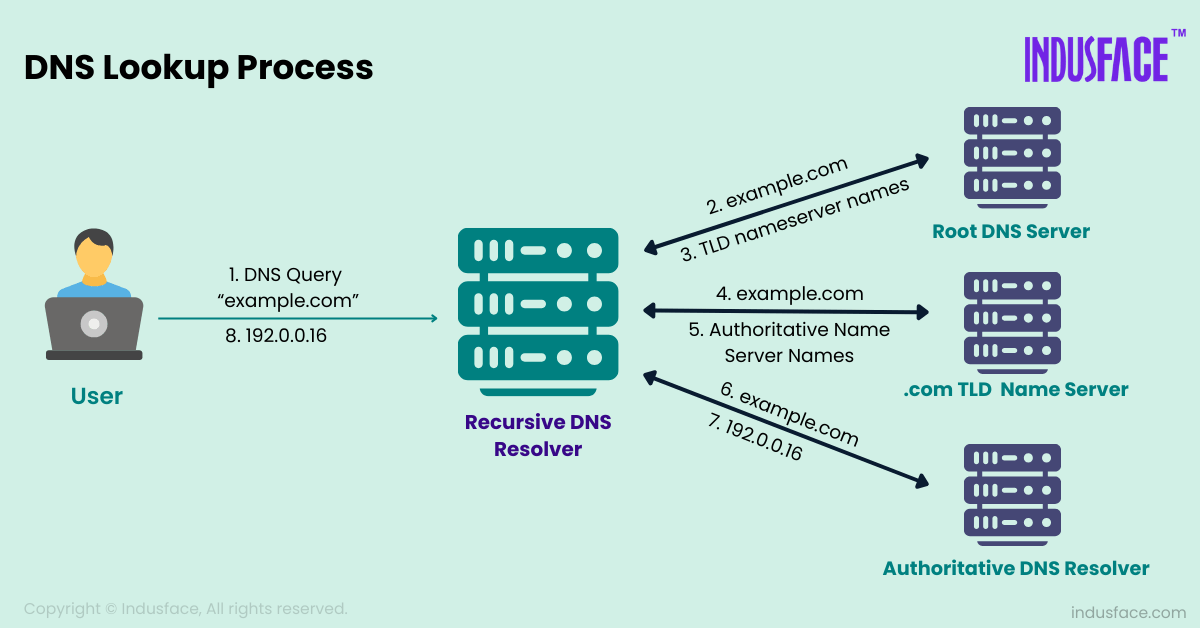
How a Domain Works
You type domain name (example.com)
↓
Internet finds the server
↓
Website opens in browser
How to Choose a Domain Name
(Easy Tips)
- Keep it short
- Easy to read and remember
- Avoid numbers and symbols
- Use .com if possible
Example:
✔ mywebsite.com
❌ my-website-123.net
How to Buy a Domain Name?
Step 1:
- Go to a domain selling website
- (Search on Google: buy domain name)
Step 2:
- Type your domain name in the search box
- (example: mywebsite.com)
Step 3:
- Check if the domain is available
Step 4:
- Add the domain to cart
Step 5:
- Create an account
Step 6:
- Make payment
After payment, the domain becomes yours.
What Happens After Buying a Domain?
After buying a domain:
- You own the website address
- Domain is active for 1 year
- You can connect it with hosting
Buying a domain does not create a website.
It only gives you the website address.
What Is Website Hosting?
Website hosting is the place where your website lives.
All website files like text, images, and pages are stored in hosting.
When someone opens your website, hosting shows the website to them.
Why Do You Need Hosting?
You need hosting because:
- A website needs a place to stay
- Hosting keeps your website online
- Without hosting, your website cannot open
Every website needs hosting to work.
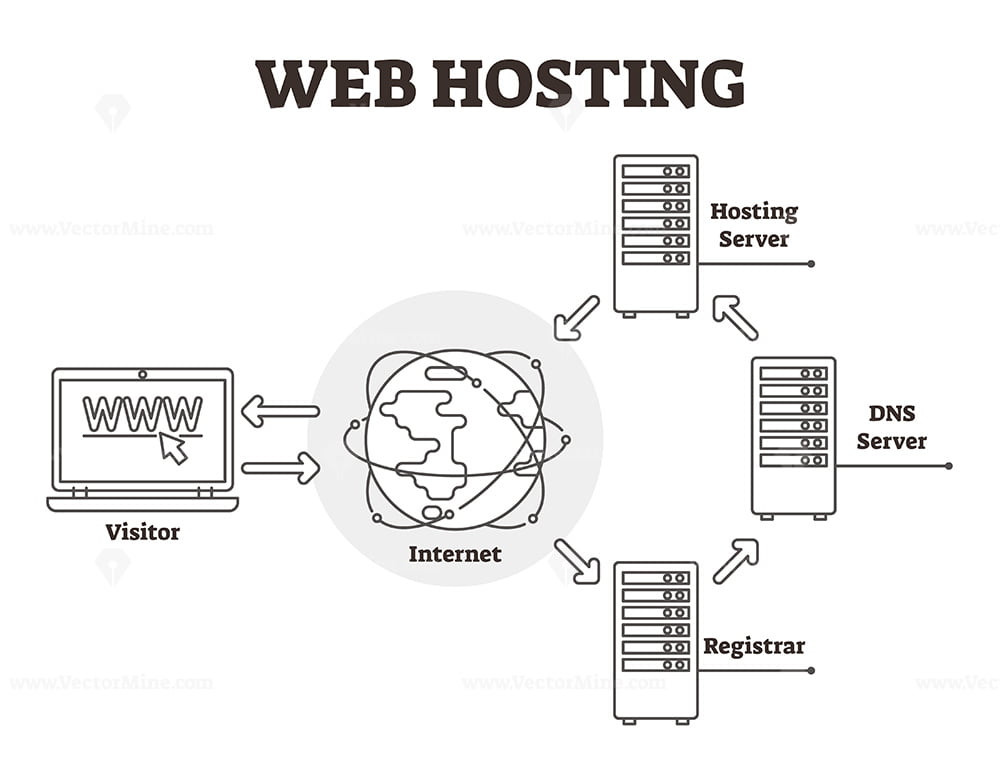
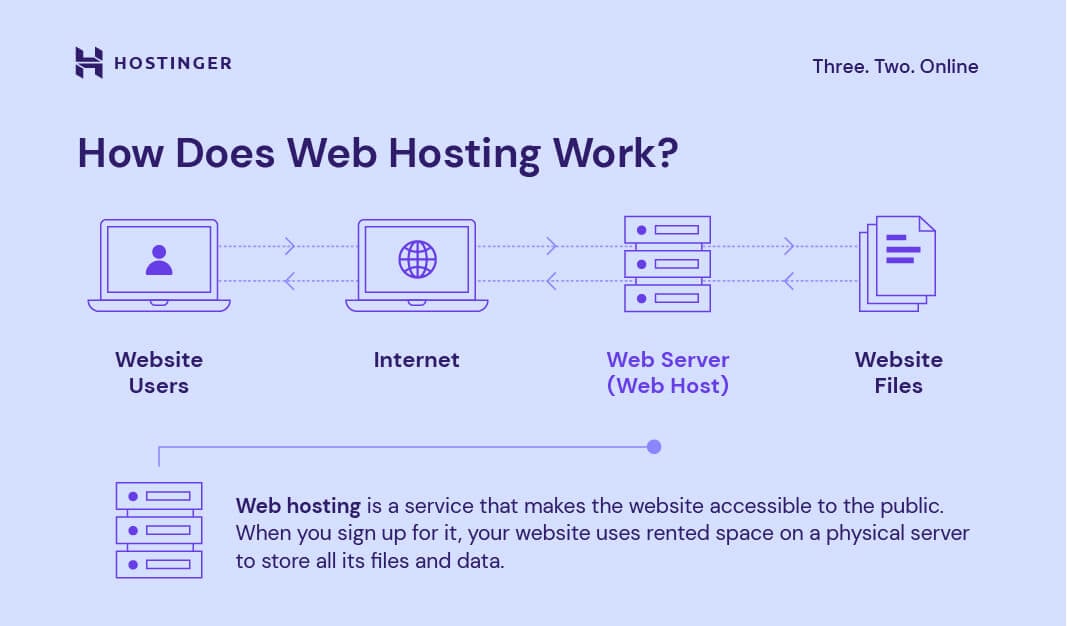
How Hosting Works
User types domain name
↓
Domain connects to hosting
↓
Hosting shows website files
↓
Website opens on screen
Types of Hosting
For beginners, only Shared Hosting is enough.
Other types (for knowledge only):
- Shared Hosting (best for beginners)
- VPS Hosting
- Dedicated Hosting
Beginners should start with Shared Hosting only.
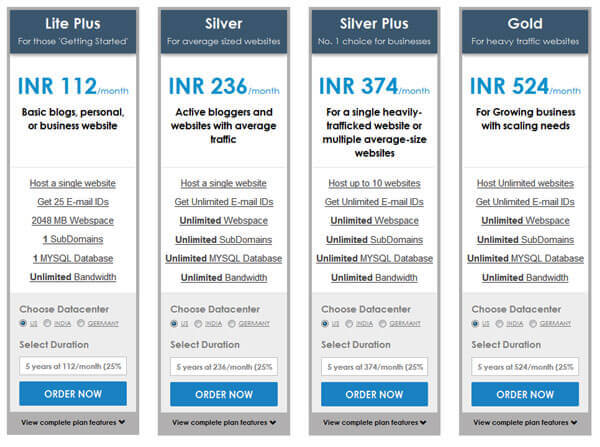
How to Buy Hosting?
Step 1:
- Search on Google: buy web hosting
Step 2:
- Open a hosting website
Step 3:
- Choose Shared Hosting plan
Step 4:
- Select time period (1 year is best)
Step 5:
- Create account
Step 6:
- Make payment
After payment, hosting account is ready.
What Do You Get After Buying Hosting?
For beginners, only Shared Hosting is enough.
After buying hosting, you get:
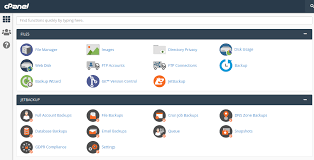
- Hosting control panel
- Space for website files
- Email from hosting company
- Option to install WordPress
Hosting is where your website is actually created.
How Domain and Hosting Work Together (Final Chart)
Domain Name (Address)
+
Hosting (Website Files)
↓
Website Goes Live
Domain + Hosting = Website live on internet
VERY IMPORTANT FOR BEGINNERS
- Domain alone ≠ website
- Hosting alone ≠ website
- Both are required together
How to Install WordPress and Connect Domain with Hosting
First, Understand This (Most Important)
To make a website live on the internet, three things are required:
Domain + Hosting + WordPress = Website
Let us understand this with a real-life example
Real-Life Example
↓
Imagine you want to open a shop:
Website Thing | Real-Life Example |
Domain | Shop address |
Hosting | Shop building |
WordPress | Furniture & tools inside shop |
If you have only the address but no shop building, nothing will open.
If you have a building but no address, no one can find it.
If you have both, plus furniture, your shop works.
Same rule applies to websites.
What Is a Domain Name
A domain name is the address of your website.
Example:
When you type this in your browser:
↓
google.com
You reach Google’s website.
Here:
- google.com = domain name
Other examples:
- amazon.com
- facebook.com
- yourname.com
Without a domain name, people cannot visit your website.
Why You Need a Domain
You need a domain because:
- People remember your website easily
- Your website looks professional
- Anyone can visit your website anytime
Example:
If your business name is Akmal Tech, a good domain could be:
↓
akmaltech.com
How a Domain Works
You type: mywebsite.com
↓
Internet finds the website location
↓
Website opens on your screen
How to Buy a Domain
(Step by Step with Example)
Step 1: Go to a Domain Website
- Search on Google
- buy domain name
- You will see many websites selling domains
Step 2: Search Your Domain Name
- Example:
↓
- myfirstwebsite.com
- If it is available, you can buy it
Step 3: Add to Cart and Pay
- Create an account
- Pay online
- Domain is now yours for 1 year
Important:
Buying a domain does NOT create a website.
It only gives you the address.
What Is Website Hosting
(Step by Step with Example)
Hosting is the place where your website files are stored.
Real-Life Example:
↓
If your website is a shop:
- Domain = shop address
- Hosting = shop building
Inside hosting, your website stores:
- Text
- Images
- Pages
- Videos
Why Hosting Is Needed
Without hosting:
- Website has nowhere to live
- Website cannot open
- Domain shows nothing
Every website in the world needs hosting.
How Hosting Works
(Simple Flow)
User types website address
↓
Domain connects to hosting
↓
Hosting sends website files
↓
Website opens
How to Buy Hosting
(Step by Step with Example)
Step 1: Search on Google
- buy web hosting
Step 2: Choose a Beginner Plan
Choose:
↓
- Shared Hosting (best for beginners)
- Do NOT worry about big plans.
Step 3: Pay and Create Account
After payment, you will get:
- Login details
- Hosting control panel
- Email with instructions
Hosting is now ready.
How Domain and Hosting Connect Together
Simple Explanation
Domain (Address)
+
Hosting (Website Files)
↓
Website Goes Live
How to Connect Domain with Hosting
(Step by Step with Example)
Step 1: Login to Domain Website
- Open domain account
- Click on your domain
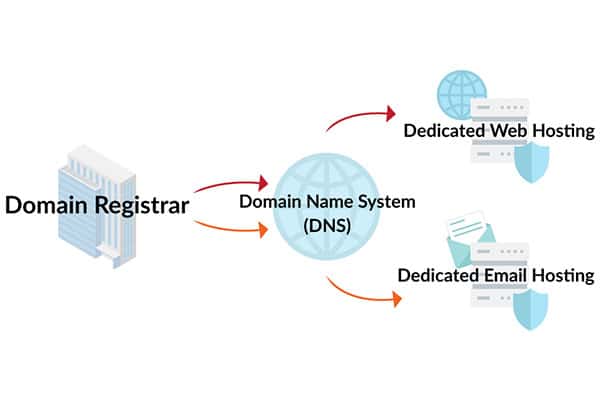
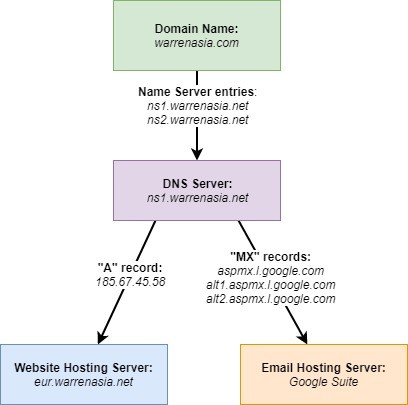
Step 2: Open DNS / Nameserver Settings
You will see something like:
- DNS
- Nameservers
Step 3: Add Hosting Nameservers
Hosting company gives something like:
ns1.hostingcompany.com
ns2.hostingcompany.com
- Remove old values
- Paste these
- Save
Wait time: 5 minutes to 24 hours
What Is WordPress?
WordPress is a tool to build websites without coding.
Example:
↓
Think of WordPress like:
- Microsoft Word (for writing)
- But for websites
You can:
- Write text
- Add images
- Create pages
- Change design
More than 40% of websites use WordPress.
How to Install WordPress
(Very Easy)
Step 1: Login to Hosting Account
Open hosting website → Login → Control Panel
Step 2: Find WordPress Installer
Look for:
- WordPress Installer
- One-Click Install
- Softaculous
Step 3: Click Install
- Select your domain
- Leave folder empty
- Enter website name
Step 4: Create Login Details
Example:
↓
- Username: admin
- Password: strong password
- Email: your email
Save this carefully.
Step 5: Finish Installation
Wait 1–2 minutes.
WordPress will be installed.
Done!
How to Login to WordPress
Open browser and type:
↓
yourdomain.com/wp-admin
Enter username & password
You will see the WordPress dashboard
Check If Website Is Live
Open browser and type:
↓
yourdomain.com
If a page opens, website is live ✅
COMMON BEGINNER DOUBTS
Website not opening?
- Wait 24 hours
- Check nameservers
Afraid of mistakes?
- Don’t worry
- Everything can be changed later
FINAL STEP SUMMARY
→ Buy Domain
→ Buy Hosting
→ Connect Domain to Hosting
→ Install WordPress
→ Login to WordPress
→ Website Live
FINAL MESSAGE FOR BEGINNERS
You do NOT need:
- Coding
- Technical degree
- Extra skills
If you can use:
- Mobile
- Computer
- Internet
You can build a website.
Themes, Pages, and SEO in WordPress
WHAT IS A WORDPRESS THEME?
A WordPress theme controls how your website looks.
It decides:
- Colors
- Layout
- Font style
- Where text and images appear
Theme = Design of your website
Real-Life Example,
↓
Think of a house:
Website | House |
Content (text, images) | Furniture |
Theme | House design (color, rooms) |
You can change the theme without losing your content,
Same furniture, new house design.
Example,
↓
- Same content
- Theme A → looks like a blog
- Theme B → looks like a business site
How to Choose a Theme
↓
Choose a theme that is:
- Simple
- Clean
- Fast
- Mobile friendly
❌ Don’t choose heavy or flashy themes
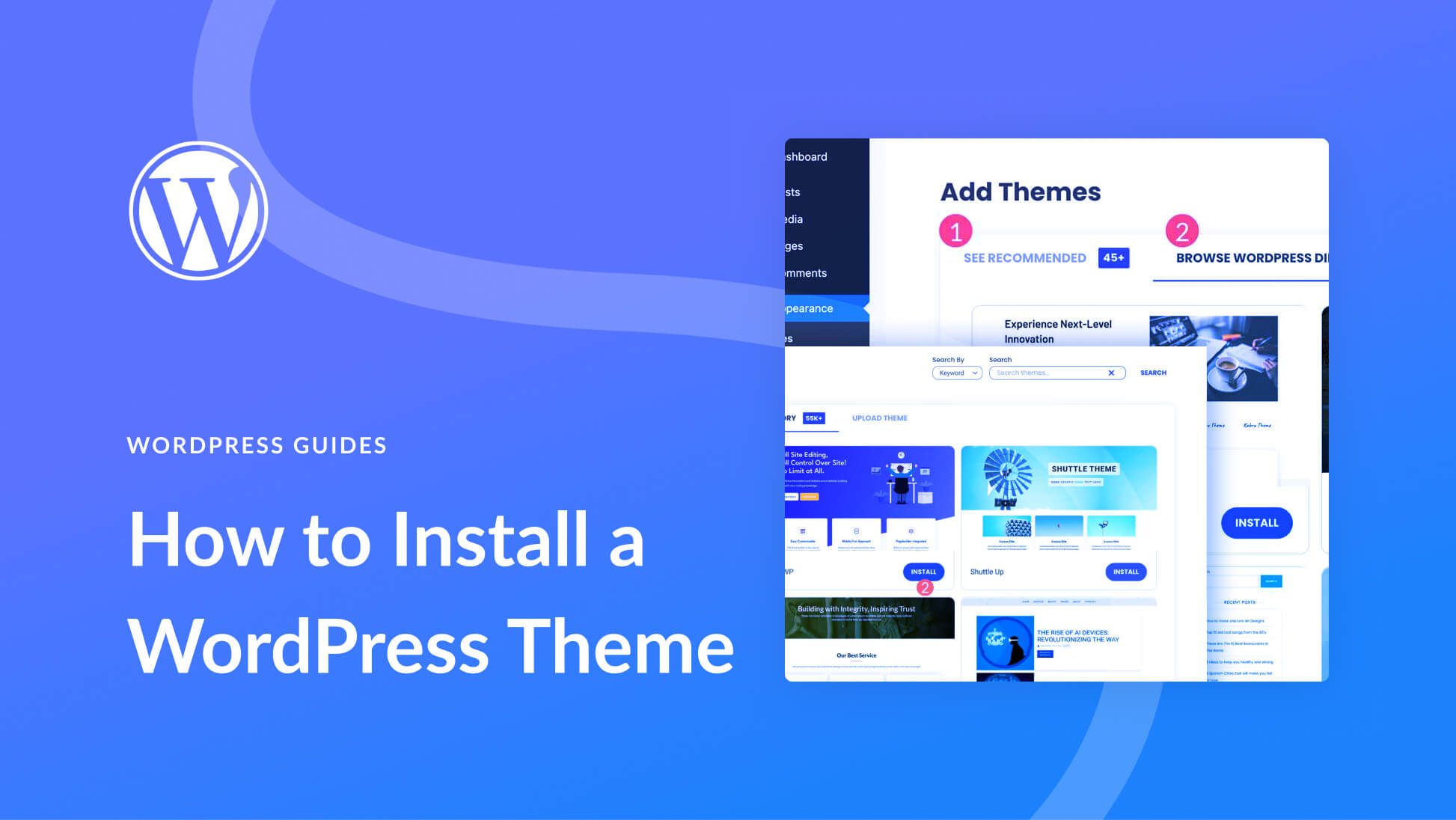
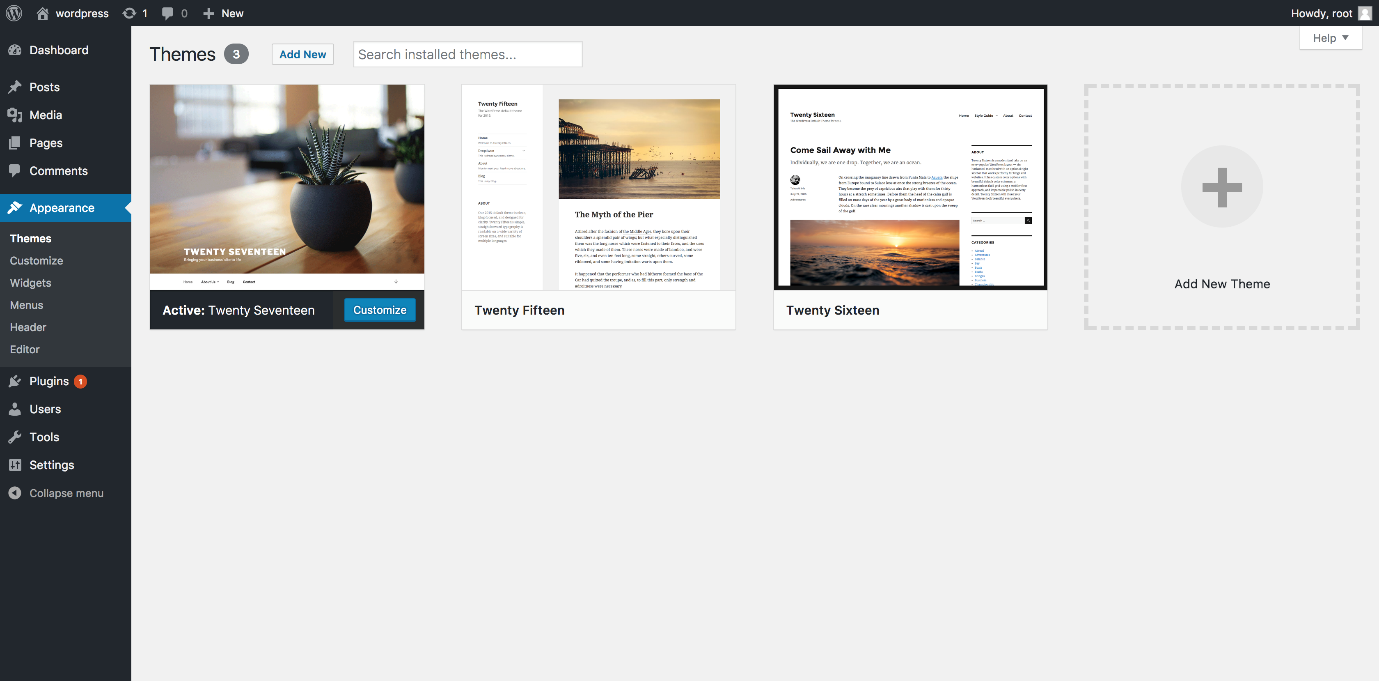
How to Install a Theme (Simple Steps)
- Go to WordPress Dashboard
- Click Appearance → Themes
- Click Add New
- Search a theme
- Click Install → Activate
Done. Theme is applied.
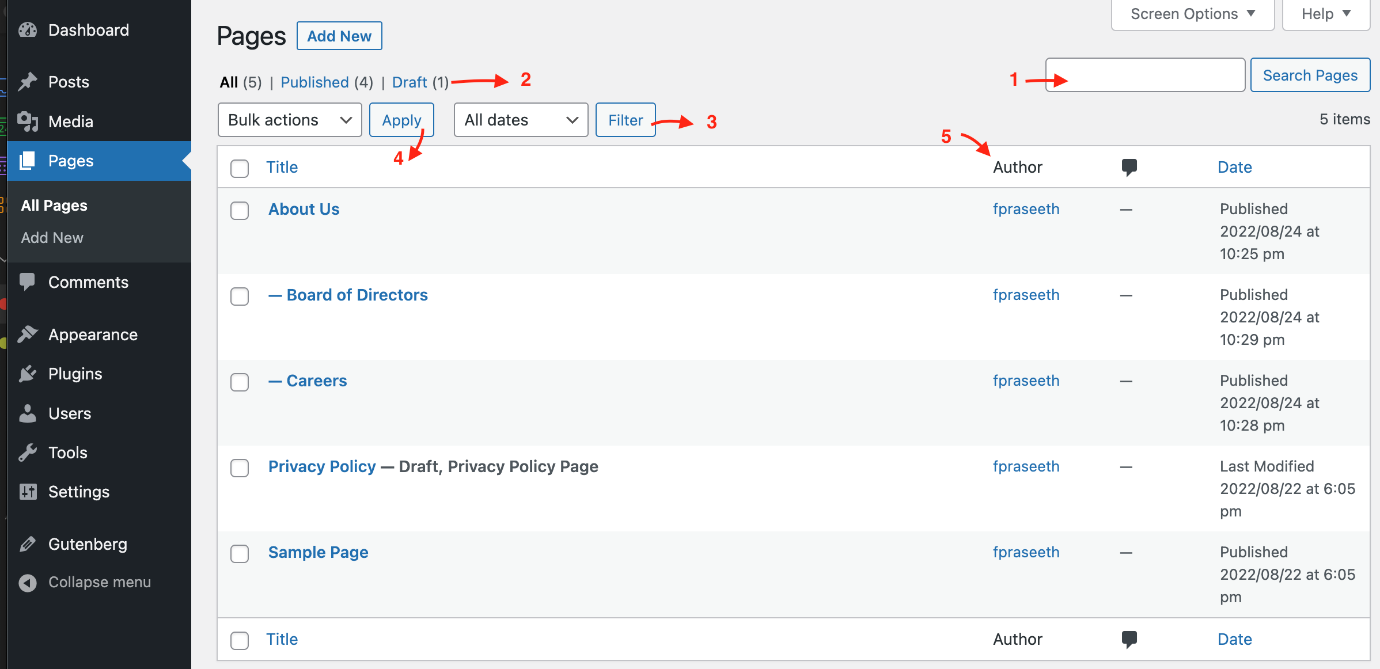
WHAT ARE PAGES IN WORDPRESS?
A page is a fixed part of your website.
Common pages:
- Home
- About
- Services
- Blog
- Contact
Pages do not change often.
Real-Life Example,
↓
Think of a book:
Website | Book |
Website | Book |
Pages | Chapters |
Each chapter has a fixed purpose.
Example Pages Explained,
↓
Home Page, Main page visitors see first.
About Page, Explains:
- Who you are
- What website is about
Services Page, Explains:
- What you teach
- What help you provide
Blog Page, Used to:
- Write articles
- Get Google traffic
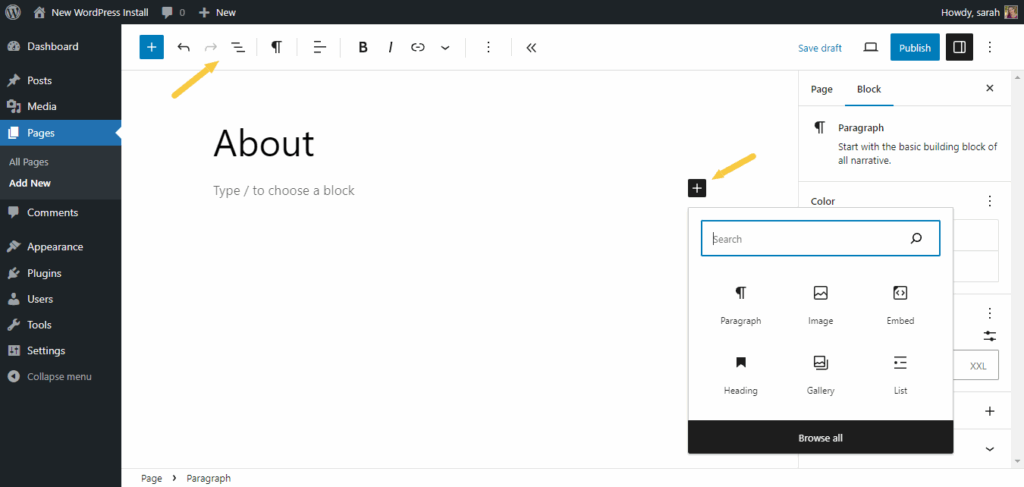
How to Create a Page (Very Easy)
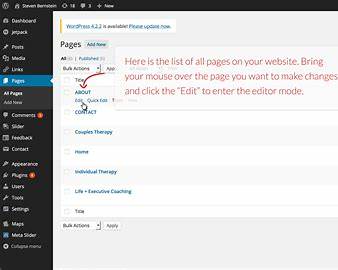
- WordPress Dashboard → Pages
- Click Add New
- Write title and content
- Click Publish
Page is live.
WHAT IS SEO?
(MOST IMPORTANT FOR TRAFFIC)
SEO helps your website appear on Google.
SEO means:
Writing content in a way Google understands
So people find your site when they search
Real-Life Example,
↓
Think of Google as a library:
- SEO = labeling your book properly
- Better label = easier to find
Example,
↓
If someone searches:
how to build a website
If your page is written properly, Google shows your website.
BASIC SEO RULES
↓
Rule 1: One Topic Per Page
❌ Mix everything
✅ One clear topic
Example:
- Page 1: What is a website
- Page 2: What is a domain
Rule 2: Use Simple Headings
Use:
- One H1 (main heading)
- H2 for sections
Example:
H1: What Is a Website?
H2: Why Websites Are Important
H2: Examples of Websites
Rule 3: Write for Humans, Not Google
❌ Difficult English
✅ Simple English
Google loves content that people understand.
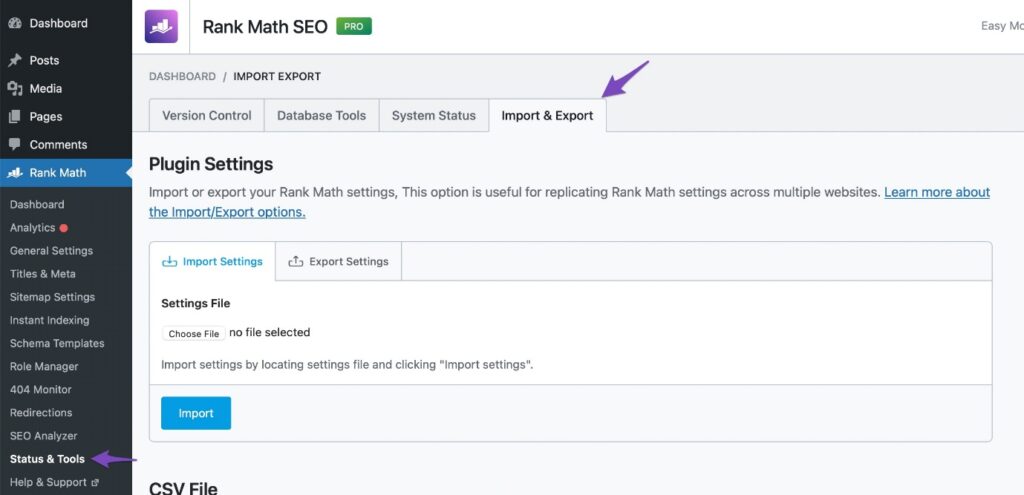
Rule 4: Use SEO Plugin (Very Easy)
Install:
↓
- Rank Math
OR - Yoast SEO
They guide you step by step.
What SEO Plugin Asks You
- Page title
- Short description
- Focus keyword
Example:
↓
Title: What Is a Website? Simple Guide
Keyword: what is a website.

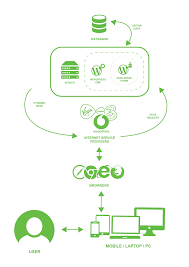
HOW EVERYTHING WORKS TOGETHER
(FINAL UNDERSTANDING)
Theme → Controls design
Pages → Show content
SEO → Brings traffic
All three together make a successful website.
VERY IMPORTANT FOR BEGINNERS
You do NOT need:
- Coding
- Technical knowledge
- Expensive tools
You ONLY need:
- Patience
- Step-by-step learning
FINAL SUMMARY
Theme = Look
Pages = Content
SEO = Traffic
Contact us